
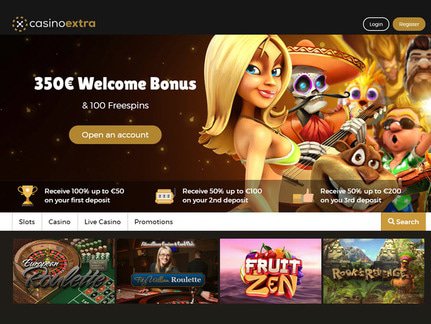
Mobile browsing makes it easy to compare gambling websites from a phone, but convenience can also hide important gaps in information. New Casino is one example where publicly available material does not yet confirm whether the service has a dedicated app, a mobile-optimised website, or a progressive web app. Readers considering a new casino online should therefore assess what can actually be verified before sharing personal details or relying on a site’s mobile presentation. A careful process can reveal whether the experience is merely responsive, genuinely practical, and sufficiently transparent for everyday use.
What should a mobile-first check establish?
A mobile-first check is not simply about whether a page fits on a small screen. It should establish whether essential information remains readable and usable without excessive zooming, horizontal scrolling, or repeated redirects. Menus should be understandable, buttons should be large enough to tap accurately, and important notices should not disappear behind pop-ups. A polished appearance is useful, but it does not prove that the operator has supplied complete information about accounts, payments, verification, or support.
Begin with the basics while using a normal mobile browser. Look for a clearly identifiable address, secure connection indicators, accessible terms, privacy information, age requirements, and a visible way to contact support. These checks do not confirm that a website is suitable or available in a particular province, but they can identify obvious weaknesses. If key pages fail to load, send you through unrelated domains, or use vague branding, pause rather than assuming the problem is temporary.
It is also worth checking whether the site remains usable when the phone is held vertically and horizontally. A reliable mobile interface should not make ordinary tasks unnecessarily difficult. Text should reflow, forms should show what each field requires, and error messages should explain how to correct a mistake. If the website cannot provide clear basic navigation, that is a practical reason to wait for more dependable information rather than treating its mobile design as evidence of quality.
Website, app, or shortcut: what is actually being offered?
“Mobile access” can describe several different products. A responsive website opens in a browser and adapts its layout to the screen. A progressive web app may offer an app-like shortcut, while a downloadable application is installed through an app store or another distribution method. These options are not interchangeable. The available material for this operator does not confirm an official iOS application, Android application, APK, progressive web app, or mobile-only site.
That uncertainty matters because unofficial applications can create security and privacy concerns. Search results may contain generic pages using similar names, but a familiar label is not enough to connect an app with the intended operator. Avoid downloading software from a third-party file host merely because it promises faster access or extra functions. An app asking for unusual permissions, requesting payment information outside a recognised account process, or lacking clear publisher details deserves particular caution.
A browser shortcut is not proof that an official app exists. Likewise, a website that looks like an app on a phone may simply be a responsive page. Before installing anything, confirm the publisher, domain, privacy policy, update history, and source of the download. If those details cannot be matched confidently, continuing through a standard browser is generally the less complicated option, although it still does not resolve questions about availability, licensing terms, or account conditions.
Which mobile details remain unconfirmed?
Public material does not establish whether this brand offers Canadian mobile access in specific provinces, supports Canadian dollars, or provides local payment methods. It also does not confirm whether the mobile experience mirrors a desktop site or excludes certain functions. A page opening successfully from a Canadian phone would not, by itself, prove that registration, deposits, withdrawals, or all account features are available to that user.
Account and verification details are similarly unclear. There is no dependable public description of the required sign-up fields, identity documents, proof-of-address process, password-recovery method, or support-assisted account recovery for the exact brand. These matters become more important on a phone, where small screens can make terms easy to overlook. Read every field label and notice carefully, and do not assume that a short mobile form represents the complete verification process.
Support and player-control tools should also be treated as open questions. No verified public schedule for live chat, support email, phone service, cooling-off settings, deposit limits, or self-exclusion controls was identified. The published licence information identifies an operator and an Anjouan B2C licence, but it does not describe the mobile interface or confirm Canadian customer protections. For broader online-safety principles, readers can consult Canada’s official online security guidance.
How can you test mobile usability without taking unnecessary risks?
A cautious test should focus on information and navigation, not on transferring money. Open the site in a current browser, check whether the address remains consistent, and move through public pages such as terms, privacy information, help content, and responsible-gambling material. Note whether pages load normally on a mobile connection and whether important text is legible. Do not treat a quick demonstration of a game, a smooth animation, or a fast page as proof of fair outcomes or dependable service.
Next, examine the points where a mobile visitor could lose control of the process. Watch for automatically selected options, unclear promotional conditions, countdown messages, repeated prompts, and forms that conceal fees or restrictions until late in the journey. Take screenshots or notes of important terms for your own reference, but do not upload identity documents simply to investigate how a form works. If the operator’s stated requirements are not clear, stop and seek clarification through a verified channel.
Finally, compare the experience with your own practical needs. Someone who travels frequently may need stable browser access, while another user may prefer not to install an application at all. A small screen can also make it harder to review long terms or notice account settings. If the site lacks dependable information about Canadian access, mobile format, support, or account controls, the sensible decision is to wait rather than fill in gaps with assumptions.

When is a mobile casino site not ready for you?
A mobile site may not be ready for use when its identity cannot be established consistently across the page, terms, and any application listing. Unclear ownership, mismatched domains, generic app references, and broken policy pages are warning signs. So is a design that encourages immediate action while making conditions difficult to read. These issues do not automatically prove misconduct, but they provide enough uncertainty to avoid submitting personal or financial information.
Availability is another important limit. Canadian residence does not automatically establish access in every province, and a website’s appearance in search results does not confirm eligibility. The available material does not verify supported provinces, Ontario or Alberta access, CAD accounts, or Interac availability for this service. Treat each of those points as requiring confirmation from the operator’s current, brand-specific terms rather than relying on location, currency symbols, or general advertising language.
Use a simple decision rule: proceed only when the mobile destination, operator identity, user requirements, and support route are sufficiently clear for your situation. If one of those foundations is missing, postpone the decision. Do not regard the absence of an official app as automatically negative, because a well-maintained mobile website can be adequate. Conversely, an attractive app cannot compensate for missing terms, uncertain availability, or poorly documented account controls.
Mobile browsing questions readers often ask
Is a mobile website the same as an official casino app?
No. A mobile website runs in a browser, while an app is installed through a distribution channel. A shortcut on a phone may only save a website to the home screen. Confirm the publisher, source, domain, permissions, and privacy information before installing software, and do not assume that generic app listings belong to the intended operator.
Does opening a casino site in Canada prove it is available here?
No. A page loading from a Canadian connection does not confirm provincial eligibility, Canadian-dollar support, payment methods, or account access. Those conditions must be stated by the operator for the relevant user. If the available terms do not address them clearly, treat availability as unconfirmed rather than inferring it from location.
What should I do if mobile information is incomplete?
Limit your activity to reviewing public information and avoid submitting identity documents or payment details while important points remain unclear. Check the operator’s current terms and verified support channels for clarification. If mobile access, account controls, or Canadian conditions cannot be confirmed, waiting is safer than making a decision based on assumptions.